

Sensor waste bins have become increasingly popular in recent years due to their convenience and hygienic features. They are equipped with infrared sensors that detect the presence of your hand or trash, and automatically open and close the lid. However, sometimes the sensor range needs to be adjusted, especially if it is either too sensitive or not sensitive enough. In this article, we will discuss how to adjust the sensing distance of a sensor waste bin.
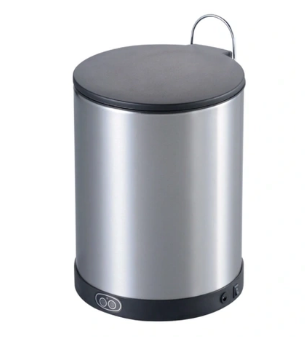
Step 1: Verify Sensor Type and Brand
Different brands and models of sensor waste bins may have different sensors' ranges, and the settings for each will vary as well. Therefore, it is essential to verify the brand and model of your sensor waste bin before attempting to adjust the sensing distance.
Step 2: Access the Control Panel
Most sensor waste bins have a control panel that enables you to troubleshoot, change the settings of your waste bin, or turn off the sensors entirely. Locate this control panel and check the manufacturer's manual for specific instructions on how to access and operate it.
Step 3: Adjust Sensing Range
Once you have accessed the control panel, you can adjust the sensing range of your waste bin. There are mainly two modes for setting up the sensing distance: Automatic and Manual.
In the Automatic mode, the sensor will detect your hand or trash, and the bin will automatically adjust the sensing distance. To do this, press and hold the "Mode" button on the control panel until the LED light blinks twice. Then, release the button, and the bin will go into Automatic mode. At this point, you can activate the sensor with your hand, and the bin will adjust the sensing distance automatically.
In the Manual mode, you can set the sensing distance manually. For this, press and hold the "Mode" button on the control panel until the LED light blinks once. Then, release the button and press it again to select Manual mode. You can then set the sensing distance by pressing the "+" or "-" button until you reach the desired range.
Step 4: Test the Sensor
After adjusting the sensing distance, it is essential to test the sensor to make sure it is working correctly. You can do this by activating the sensor with your hand or trash to make sure the lid opens and closes without any issues.
Conclusion
In summary, adjusting the sensing distance of a sensor waste bin is a straightforward process. Mainly, it involves accessing the control panel and setting the sensing distance either automatically or manually. It is essential to follow the manufacturer's instructions carefully to avoid any damage to the bin. By adjusting the sensing distance, you can ensure that your sensor waste bin works correctly, and you can enjoy its hygienic and convenient features.